- Open Microsoft Edge

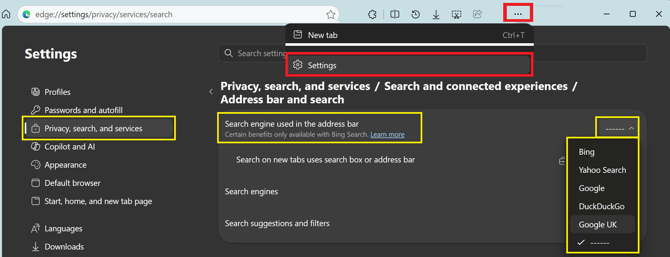
- Enter this URL in the address bar:
edge://settings/privacy/services/search
- Alternatively select the 3 dot ellipsus in the top right . . .
- Select ⚙️Settings
- Select Privacy, search, and services
- Select Search and connected experiences
- Select Address bar and search
- Under Search engine used in the address bar select the dropdown list
- Select Google UK or Bing or other providers
- Close the tab