- Sign in at https://property.stalbansdiocese.org/nova/
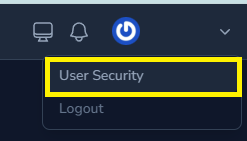
- Select your name in the top right > select User Security
- Alternatively select this link:
HCOMS > User Security
- Alternatively select this link:
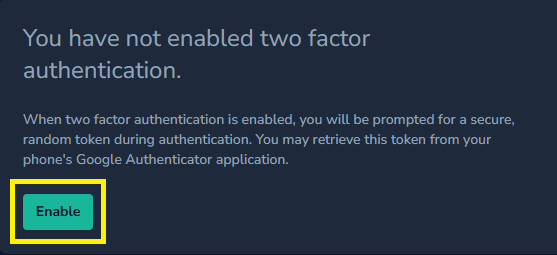
- Under TWO FACTOR AUTHENTICATION select Enable
- Enter your password and select Confirm
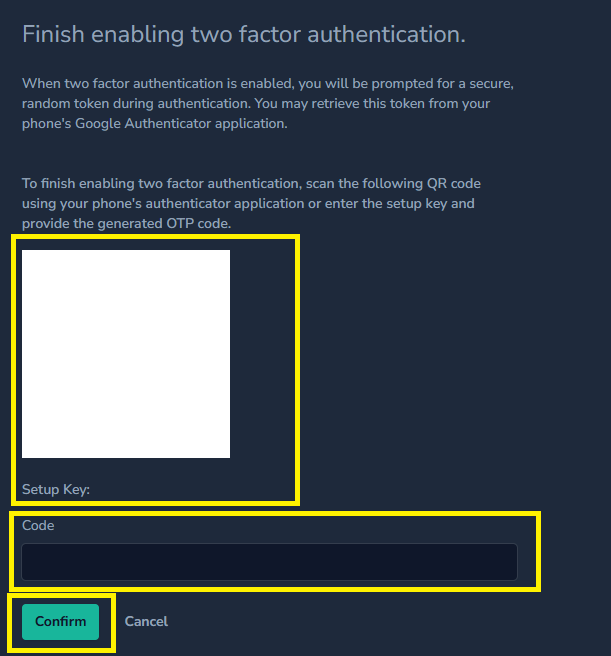
- Scan the QR code into your authenticator app or use the setup key to manually enter, eg. Microsoft authenticator, Dashlane or Oracle Authenticator for Desktop
- Enter the code generated by the authenticator app into the Code field
- Select Confirm
- Copy the recovery codes to a secure location. You can use recovery codes when you do not have access to your authenticator app.
- Complete the form below to confirm two factor authentication is now setup on your HCOMS account.